Familiar Windows 11 Desktop Ergonomics for Omarchy 4.5
If you love Hyprland and Omarchy's speed, aesthetic, and keyboard workflow, yet sometimes want a floating Windows 11-style taskbar, drag-to-snap zone cards, and clean overlapping windows, Omarchy-windåse ("Windåse" is Danish wordplay for Windows, literally "wind-can") delivers all of it without fighting the distro.
- One Bar, Full Vertical Space: Pinned and active apps live directly inside the Omarchy bar instead of a separate dock stealing screen height.
- Zero Fork & Zero Core-File Edits: Lives cleanly in
~/.config/omarchy/and~/.config/hypr/with zero edits to/usr/share/omarchy/, surviving every system update and theme switch. - Zero Bloat & 0% Idle CPU: Built in native Quickshell QML and event-driven Hyprland Lua - no Electron, no extra background daemons, and no polling loops when windows are still.
Core Features
In-Bar Taskbar & 3×3 Apps Launcher
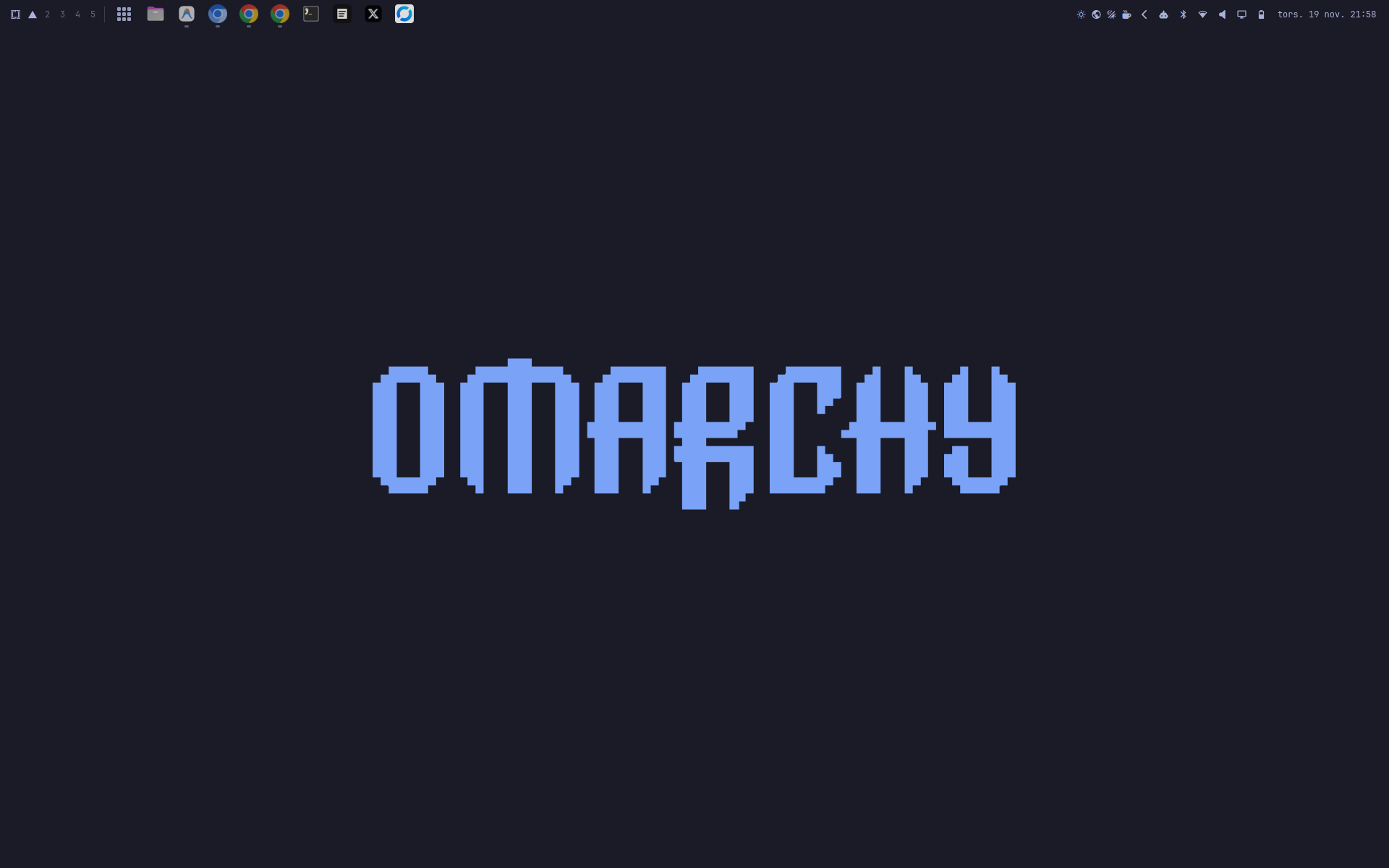
Pinned and active windows sit inside the bar via BarWidget.qml alongside the 3×3 Apps launcher (Super + Alt + Space). Left-click focuses or toggles minimize on single windows, middle-click spawns a new window, and multi-window apps open an upward picker (WindowPickerCard.qml) with workspace badges. Pairs cleanly with a 40 px tall bar and a two-line Windows 11 clock (HH:mm / dd-MM-yyyy) plus the type-to-filter AppGrid.qml overlay.
Windows 11 Snap Layouts & Aero Snap
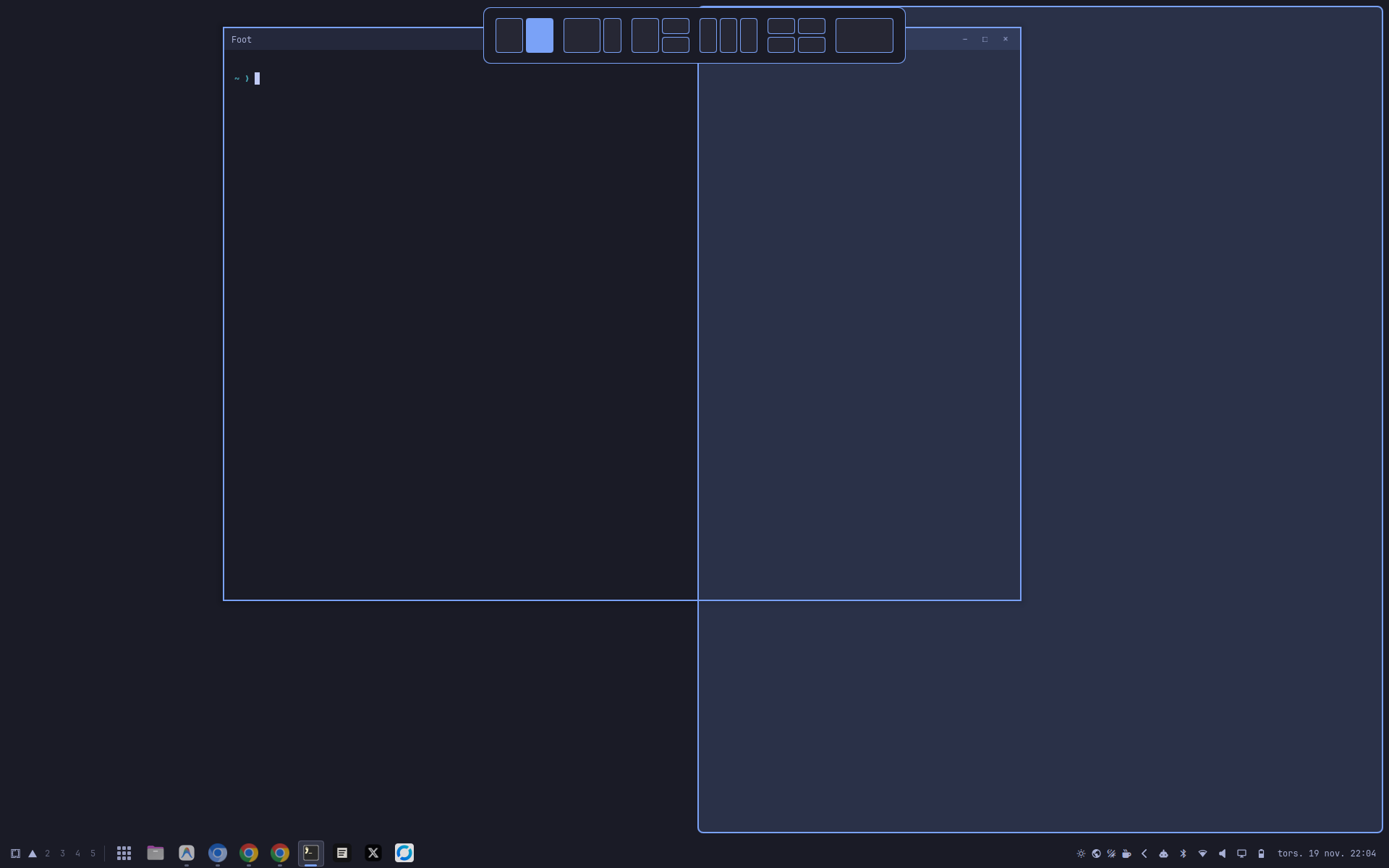
Drag any floating window to the top edge of any monitor, or press Super + Z, to trigger the multi-monitor Snap Layouts overlay with six presets (50/50, 65/35, 50 | 25/25, 33/33/33, 2×2, and 100%) and pixel-accurate hyprbars inset compensation. Includes edge/corner drag snapping and Super + Arrow Aero Snap stepping.
Per-Window Browser Splitting & Profiles
Use 1-click Split windows in taskbar (uncombine) in AppMenuCard.qml, persisted directly in shell.json, to break grouped windows into separate buttons with window-title tooltips. Right-click Google Chrome, Chromium, or Brave to launch any profile directly from Local State metadata with profile avatars and account emails.
Native Graphical Settings UI
Right-click the 3×3 Apps button or choose Windåse settings to open SettingsCard.qml. Adjust bar height presets (26 / 34 / 40 / 46 px) or the 26–56 px slider, icon size, bar position (Bottom/Top), two-line clock, and live Hyprland toggles persisted atomically to ~/.config/omarchy/windaase.json.
Hyprland Floating Ergonomics
Replaces Hyprland's native fullscreen = 1 on floating workspaces with an edge-to-edge Soft-maximize geometry restore (leaving true fullscreen = 2 untouched) so overlapping windows never hit a hasfullscreen click-trap. Adds auto-raise on focus, hover-scroll (follow_mouse = 2), and in-process Show Desktop (Super + D) with zero subprocess spawning.
All 50 Omarchy Locales with RTL
Ships complete translation catalogs for all 50 locales supported by Omarchy, reusing official translations for shared strings and switching live with Omarchy Setup → Language. Automatically mirrors card and popup layouts for right-to-left languages (Arabic, Persian, Hebrew, and Urdu).
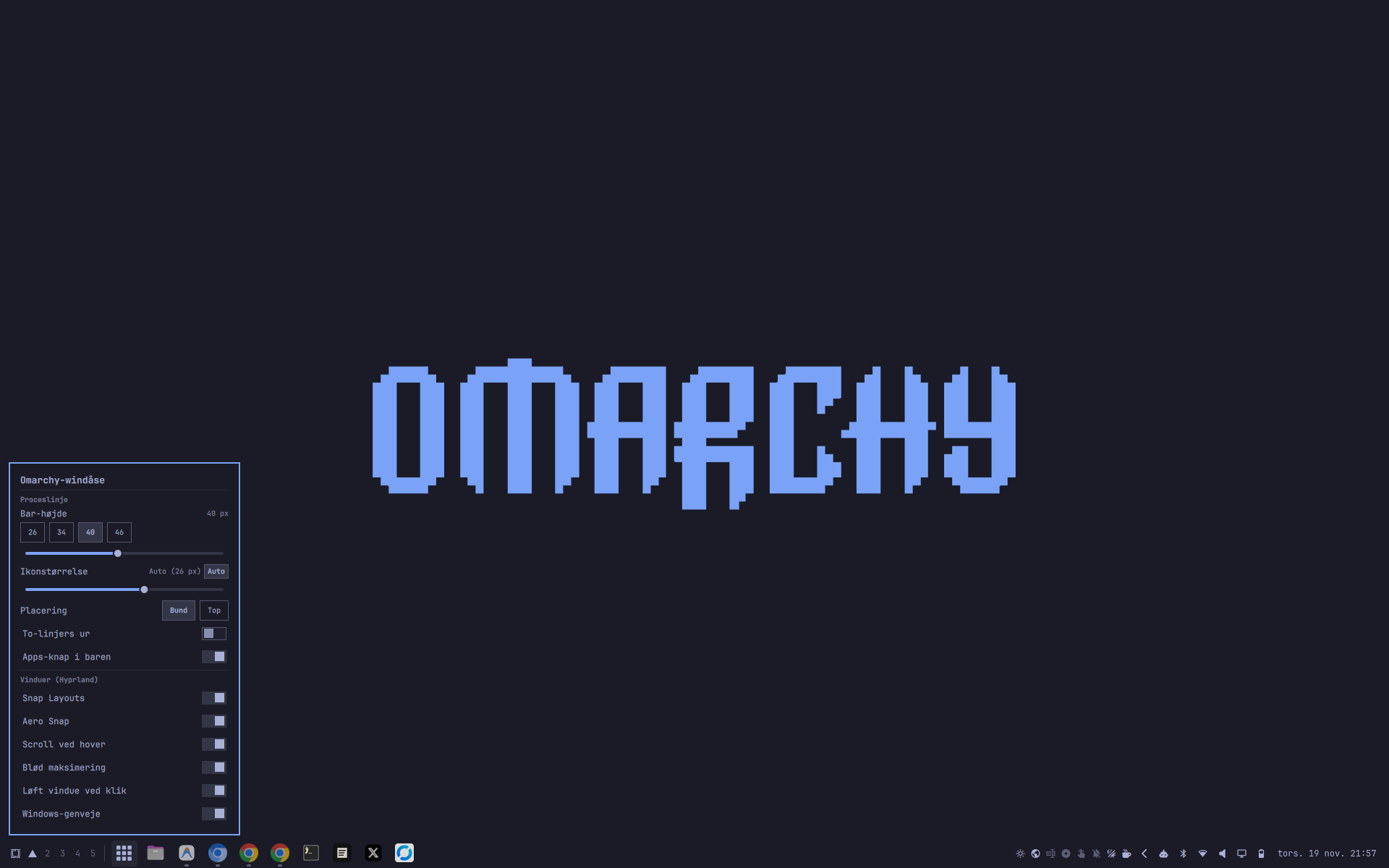
SettingsCard.qml) live-localized via Omarchy's language selector.Quick Start & Installation
Option A - Full Windows 11 Desktop Experience (Recommended)
Installs the Quickshell plugin and hypr.windaase Lua module, moves the bar to the bottom at 40 px, disables omarchy.dock, and sets workspaces to floating by default:
git clone https://github.com/riisager/omarchy-windaase.git
cd omarchy-windaase
./install.sh --full --bar-height 40
Option B - Shell Plugin Only (via Omarchy CLI)
Browse it on the Omarchy Plugin Marketplace or install only the taskbar widget, All-Apps grid, and settings popup host via the Omarchy CLI:
omarchy plugin add https://github.com/riisager/omarchy-windaase.git --enableBefore swapping files, install.sh validates the bundle with omarchy plugin validate and creates timestamped .bak-* backups of modified configuration files (hyprland.lua, shell.toml, shell.json, and workspace-layouts). You can cleanly revert everything anytime with ./uninstall.sh --restore-stock.
Shortcuts & Shell IPC
| Shortcut | Action |
|---|---|
| Super + Alt + Space | Toggle visual All-Apps Grid (AppGrid.qml) with instant type-to-filter search |
| Super + Z | Toggle Windows 11 Snap Layouts bar across monitors |
| Super + Left / Right | Aero Snap window to left/right half or step between top/bottom corners |
| Super + Up / Down | Soft-maximize, promote half to corner, un-snap step by step, or minimize |
| Super + D | In-process Show Desktop (minimize / restore active workspace) |
| Super + E / Alt + F4 | Open File Manager (nautilus) or close the active window |
omarchy-shell riisager.windaase apps      # Toggle visual All-Apps Grid
omarchy-shell riisager.windaase settings  # Toggle Windåse Settings popup
Under the Hood: Zero-Bloat Architecture
- Event-Driven IPC via
$XDG_RUNTIME_DIR:snap_layouts.luawakes only on Hyprland window/drag events and atomically writes$XDG_RUNTIME_DIR/omarchy-windaase-snap.json, whichService.qmlobserves with QuickshellFileView. - Single-Source Geometry: Both
Service.qml(UI preview) andhypr/windaase/geometry.lua(window placement) sharelayouts.jsonand compensate forhyprbarstitlebars and borders. - Atomic Config Writes & Open Source:
windaase-config.pyupdatesshell.toml,shell.json, andwindaase.jsonvia temp files andos.replace. Built for Omarchy 4.5 and released under the MIT License.
Ready to take action?
Get Omarchy-windåse on GitHub